Unable to Generate iHealth Report
- Log in to AppViewX.
- Navigate to Menu > ASSET MANAGEMENT > Device Inventory.
- Select Device and click
Generate iHealth Report.
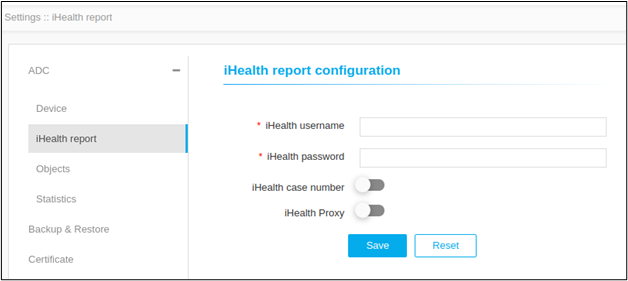
Error Message Possible Cause Possible Solution Please provide the valid credentials under AppViewX settings to generate the iHealth report. iHealth settings like username, password and proxy are not configured in the iHealth report configuration page. - Navigate to Menu > Settings > ADC > iHealth report.
- Update iHealth username.
- Update iHealth password.
- Enable iHealth Proxy.