
Issues in iHealth Report Generation
- Log in to AppViewX.
- Navigate to Menu > ASSET MANAGEMENT > Device Inventory.
- Select the required device and click Generate iHealth Report.
- Click the Report status to view the actual error report.

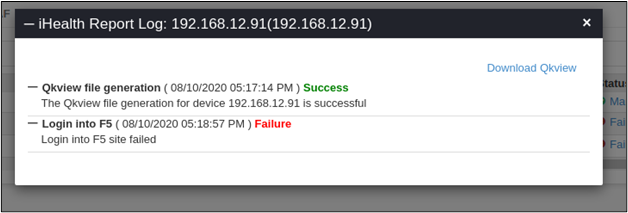
Error Message Possible Cause Possible Solution Report status is stuck in Queued state. The avx_vendorsplugin may be not running.Please contact the administrator to restart the component. Failed to connect to <device> with the given credentials. The credentials provided for the device are wrong. Update the credentials for the device. Login into the F5 site failed. Proxy is not configured or proxy credentials are updated wrongly. - Update the proxy values in Settings > General > Proxy.
- Select the ihealth Login urls in the URL list.
