Backup Configuration
Manage the complete backup of your devices stored in a central repository in AppViewX. Define your own groups as per the business unit or data center and scheduled backups as needed.
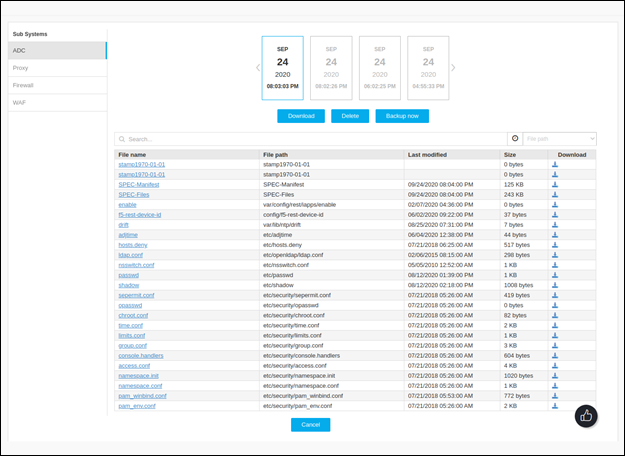
The Backup groups are listed with the devices and their respective archives (with timestamp). Click on the device name to get into the details - A detailed Archive management screen appears that allows you to do the following:
-
Click on the Archive to view the file/config within the archive.
-
Download the complete archive or individual files.
-
Delete the selected archives
-
Generate Instant backup
To improve system efficiency and offload backup operations from core subsystems, the
avx_device_backup_bot pod can be enabled to handle all ADC device
backup requests. See AppViewX Setup guide for enabling and disabling Device Backup
pod.