
Update Certificate Attributes
To trigger this workflow:
-
From the Certificate Lifecycle
Automation catalog, under the Alert and Notification category, hover
your mouse over the Update Certificate Attributes workflow and click
 .
The workflow is executed with the workflow inputs requested at the first stage.
.
The workflow is executed with the workflow inputs requested at the first stage. -
Under the Certificate Filter section, enter or select the requested field
information as described in the table below.
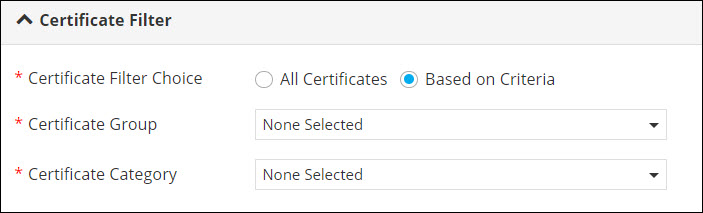
Table 1. Field Description for Certificate Filter section. Field Description *Certificate Filter Choice Select the required checkbox to fetch: - All certificates: This is the default selection and will fetch all the certificates.
- Based on Criteria: Select this option to fetch certificates based on criteria such as certificate group and certificate category.
*Certificate Group Select the appropriate certificate group from the dropdown list. Note: This field is displayed only when you select the Based on Criteria option in Certificate Filter Choice.*Certificate Category Select the appropriate certificate category from the dropdown list. Note: This field is displayed only when you select the Based on Criteria option in Certificate Filter Choice.All asterisk (*) marked fields are mandatory. -
Click Submit.
Certificates are fetched based on the selection criteria.
-
In the Update Certificate Attribute Input stage of workflow execution, select
the option for downloading the file as a CSV or Excel file.
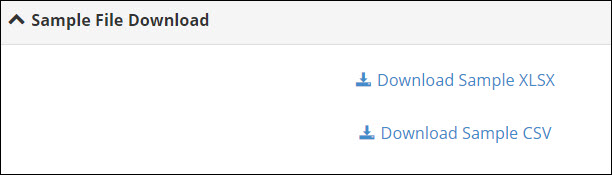 The file is downloaded to your device. You can now update the certificate attributes in this file.
 -
Once you have updated the certificate attributes, under File Upload, click
 to upload the modified
file.
to upload the modified
file.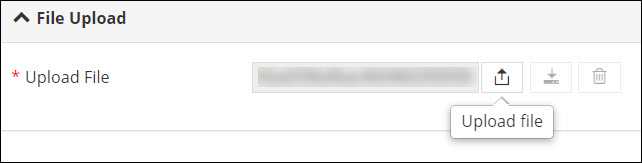
-
Click Next and in the Confirmation pop-up window, click Ok.
The Update Certificate Status stage of the workflow displays the list of updated certificates. To download this list, from the top right corner of the screen, click
 . An email report is
also sent to the requester.
. An email report is
also sent to the requester.
