
Settings
Overview
AppViewX's Firewall settings helps manage the Device and Object specifications related to Policy, Application, Device, and Context.
Configuring the Control Center
To configure the Control Center,
-
Click Menu > FIREWALL+ > SETTINGS > Module Settings.
The Control Center page is displayed.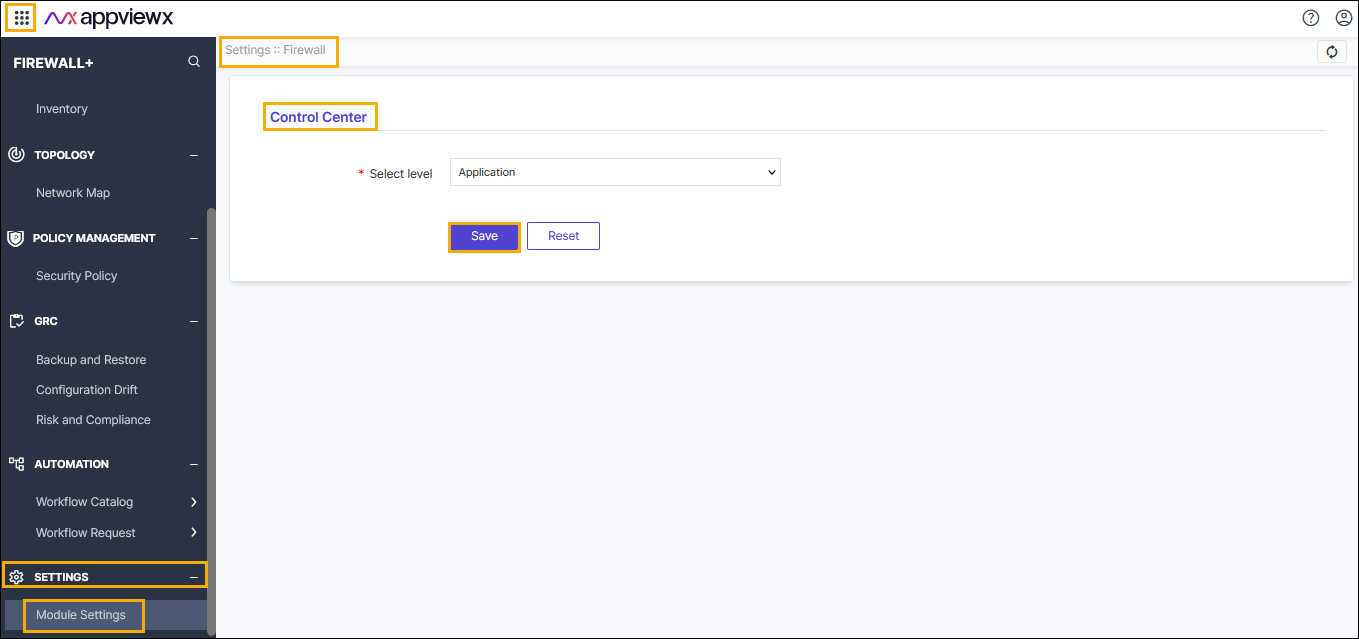
- Click Select level drop-down menu, and then select the
level from the list. The available levels are,
- Policy
- Application
- Device
- Context.
-
Click Save.
The pop-up Settings updated successfully message is displayed.
- Click Reset for the default option.
