Issue in Fetch Config
- Log in to the AppViewX.
- Click Menu > ASSET MANAGEMENT > Device Inventory.
-
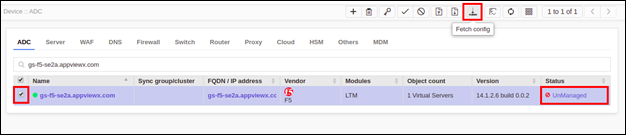
Select the device(s) that have their Status as UnManaged and click the
config fetch icon.
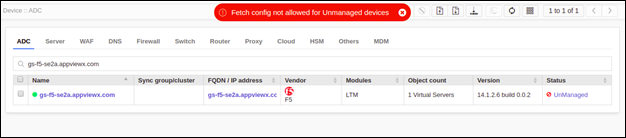
Error Message Possible Cause Possible Solution Config fetch not allowed for Unmanaged/Queued devices and Device(s) on which other operations are already in progress. One or more devices went to an unmanaged state after the action was triggered. Manage the device(s) in an unmanaged state before performing action. -
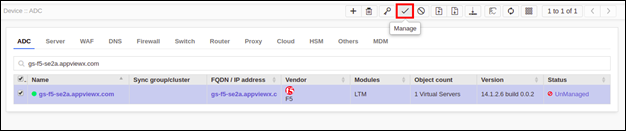
Select the unmanaged device(s) and click the manage icon and once device status
updated to Managed we can trigger the fetch config action.