| Import zip file validation failed. |
The imported file has invalid entries. |
Import a proper zip file that has been exported from
any appviewx node containing application widget. |
| Widget details are invalid. |
During device import, the imported file has invalid
widget details. |
Choose an import file that has valid widget details.
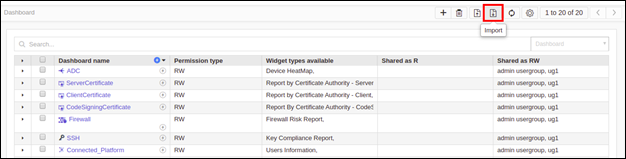
Navigate to 'Dashboard' -> click on 'import' icon -> under 'select file',
click on 'browse' -> select a valid import file -> click on 'upload'
button -> the dashboard details parsed should display a green symbol
indicating valid import entries -> then click 'submit' button. Refer to the
admin guide. |