
Step 2: Configure resource access
MCP Policy
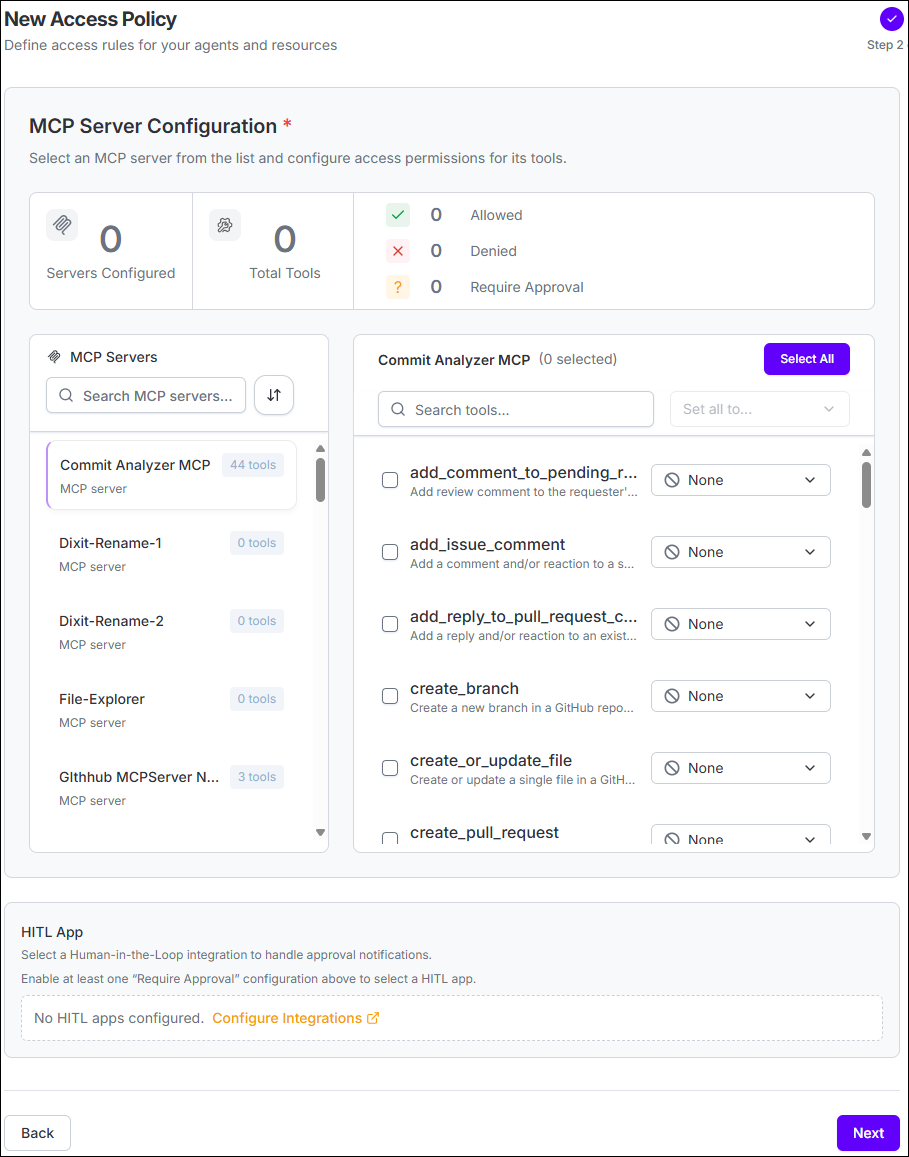
- Select an MCP server from the available server list.
- Review the tools exposed by the selected server.
- Select the tools the policy should govern.
- Set each selected tool to Allow, Deny, or Require Approval.
- Repeat the configuration for additional MCP servers as required.
- If any tool requires approval, select the HITL App that should receive the approval request.
File Policy
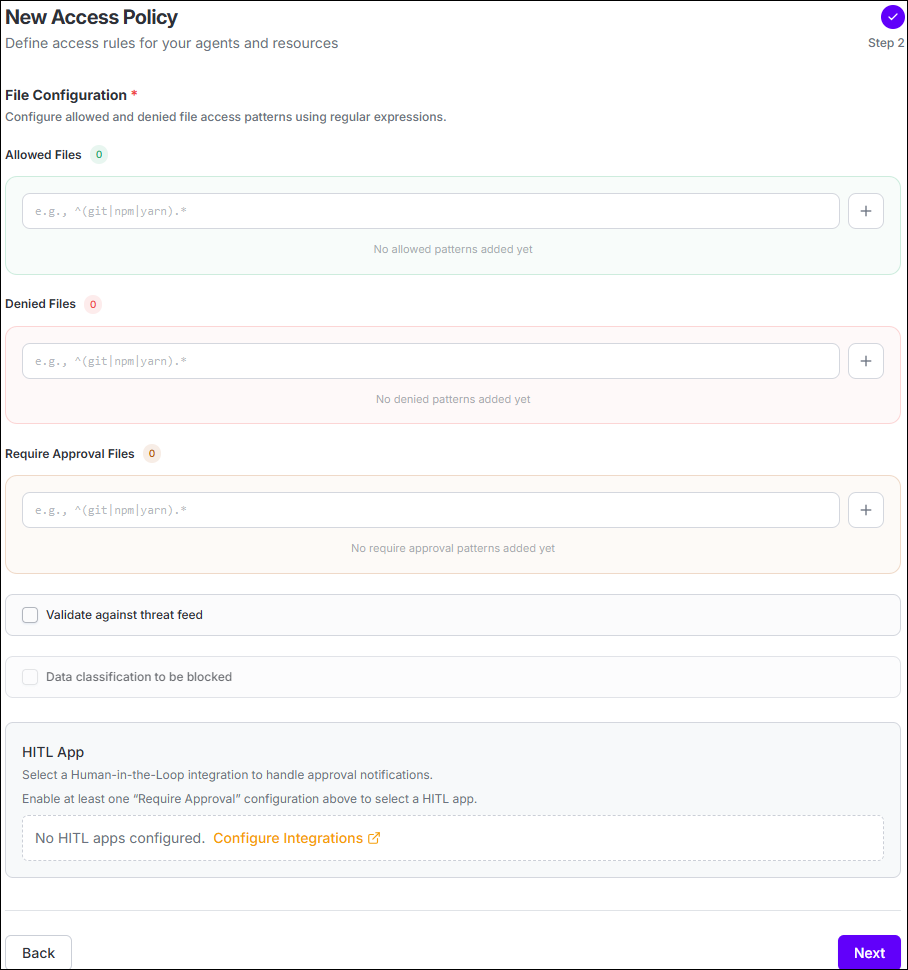
- Allowed Files - files the agent is permitted to access.
- Denied Files - files the agent is prevented from accessing.
- Require Approval Files - files that require a human decision before access proceeds.
Checks files accessed by an agent for sensitive information, such as exposed secrets. If sensitive information is detected, the agent is blocked from accessing the file.
File Policies can also block access based on data classifications obtained from a configured Data Loss Prevention (DLP) integration. Enable Data classification to be blocked and select the classifications that should be prevented from agent access.
For example, if the connected DLP integration provides classifications such as Public, General, Personal, and Confidential, an administrator can select the classifications that should be blocked for the policy.Package Policy
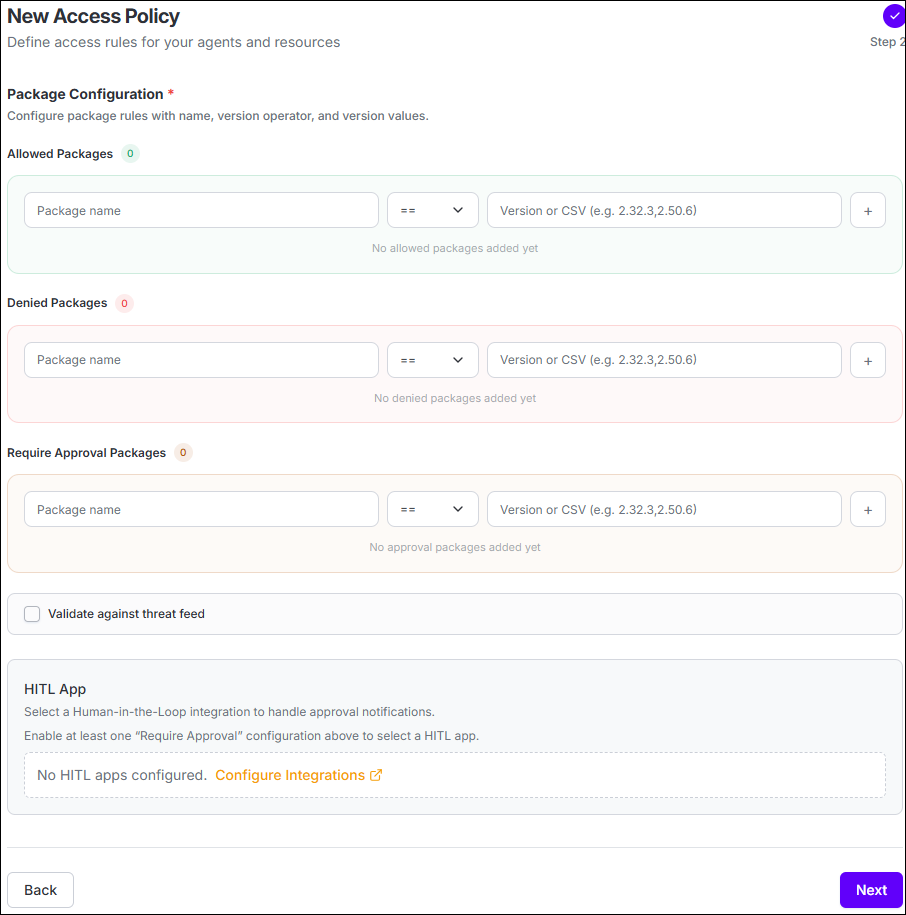
Configure Package Installation
| Field | Description |
|---|---|
| Package name | The package to which the rule applies. |
| Version operator | Choose ==, !=, >, >=, <, or <=. |
| Version | Specify the version, or the version values supported by the configuration. |
Checks packages that an agent attempts to install for known vulnerabilities using OSV. If a vulnerability is identified, the package installation is blocked.
Web Policy
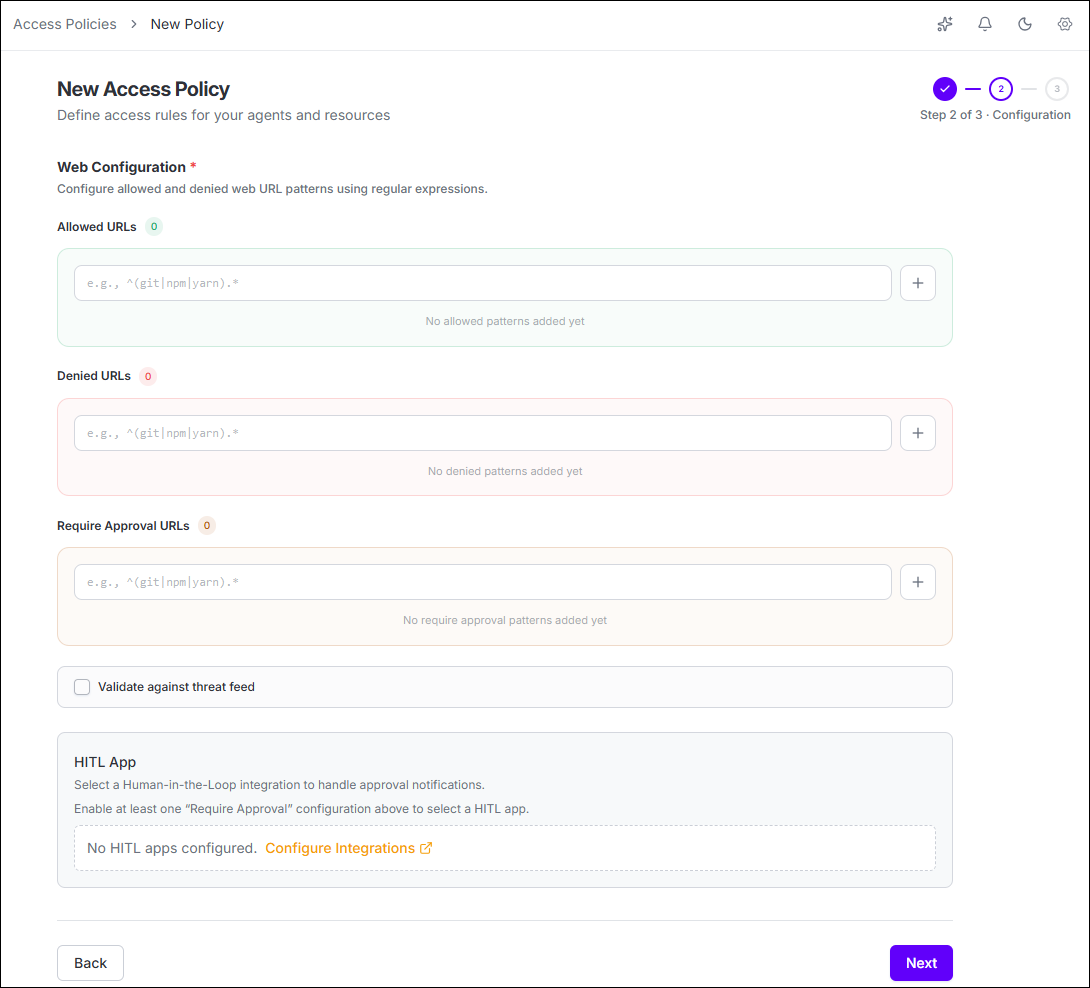
- Allowed URLs - web destinations the agent is permitted to access.
- Denied URLs - web destinations the agent is prevented from accessing.
- Require Approval URLs - web destinations that require human approval before access proceeds.
Terminal Policy
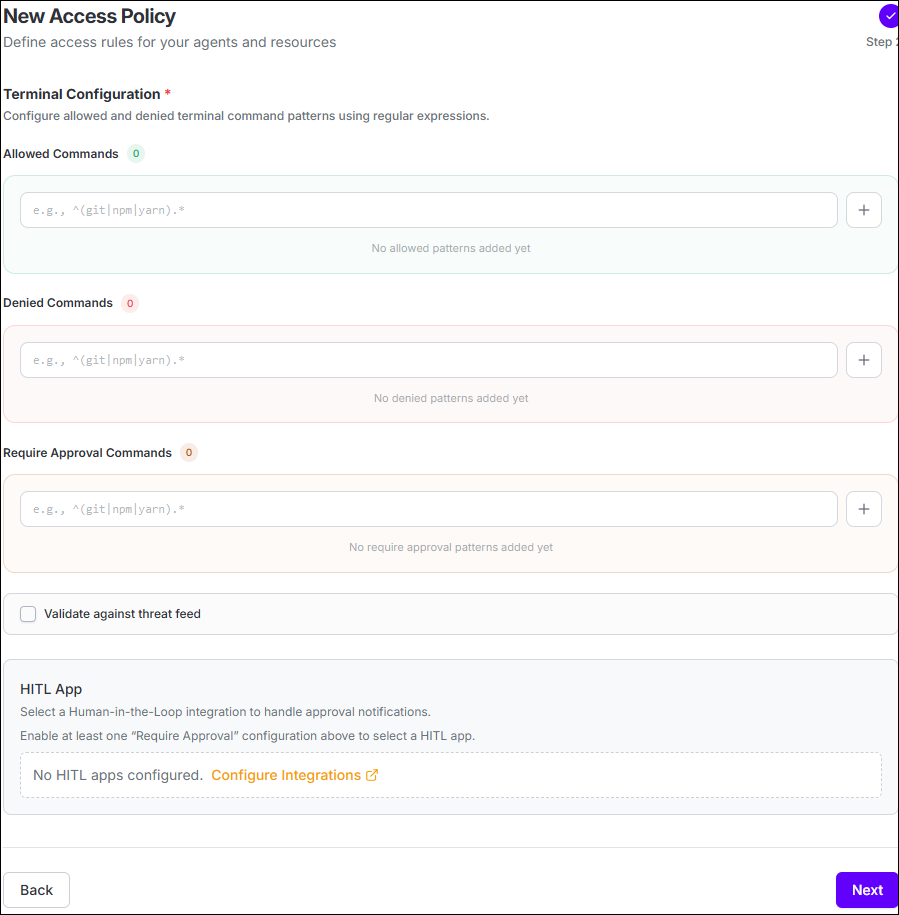
| Fields | Purpose |
|---|---|
| Allowed Commands | Regular-expression patterns for commands the agent is permitted to execute. |
| Denied Commands | Regular-expression patterns for commands that must be blocked. |
| Require Approval Commands | Patterns that pause execution until a human approval decision is received. |
| HITL App | Select the Human-in-the-Loop integration when Require Approval commands are configured. |
Detects potentially destructive or risky
terminal commands, such as rm -rf, process termination commands, or
chmod 777. When detected, an event is generated in Event Logs with a
risk level based on the type and severity of the command. Critical commands generate
events with Critical severity.
Version Control System Policy
| Policy Mode | Behavior |
|---|---|
| Allow all except blocked repositories | Repositories are allowed unless a matching rule blocks access or requires approval. |
| Allow only approved repositories | Repository access is denied unless it matches an approved rule; additional rules can block or require approval for specific access. |
Configure Repository Access
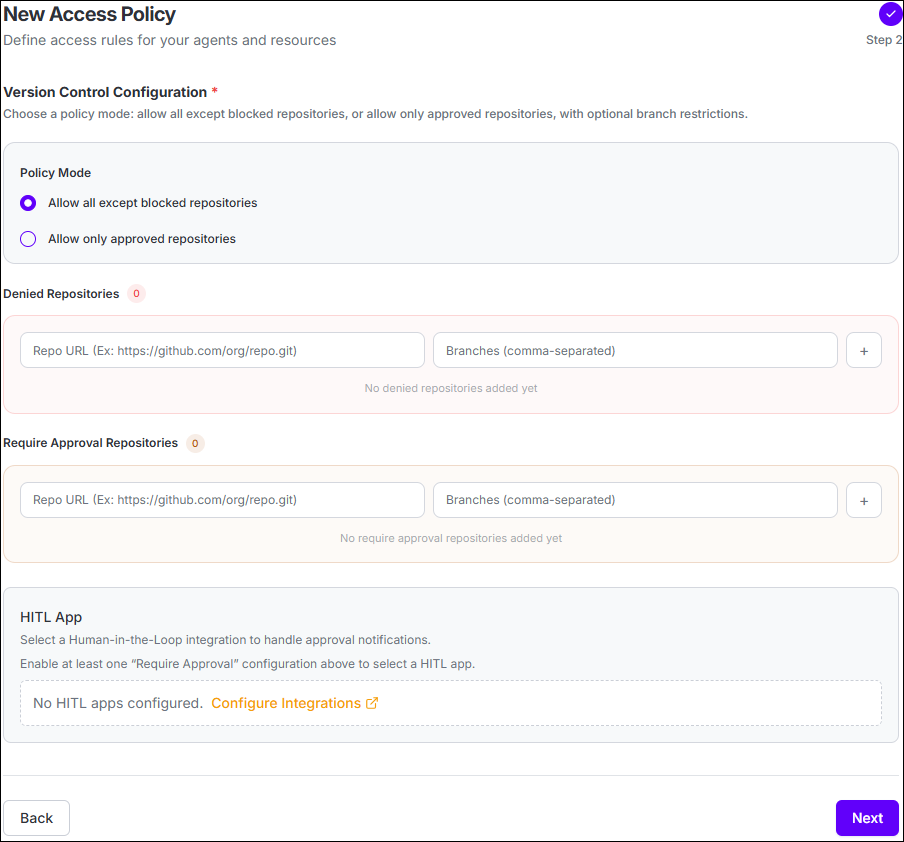
- Denied Repositories - block Git operations for the configured repository and branches.
- Require Approval Repositories - require a human decision before the matching Git operation proceeds.
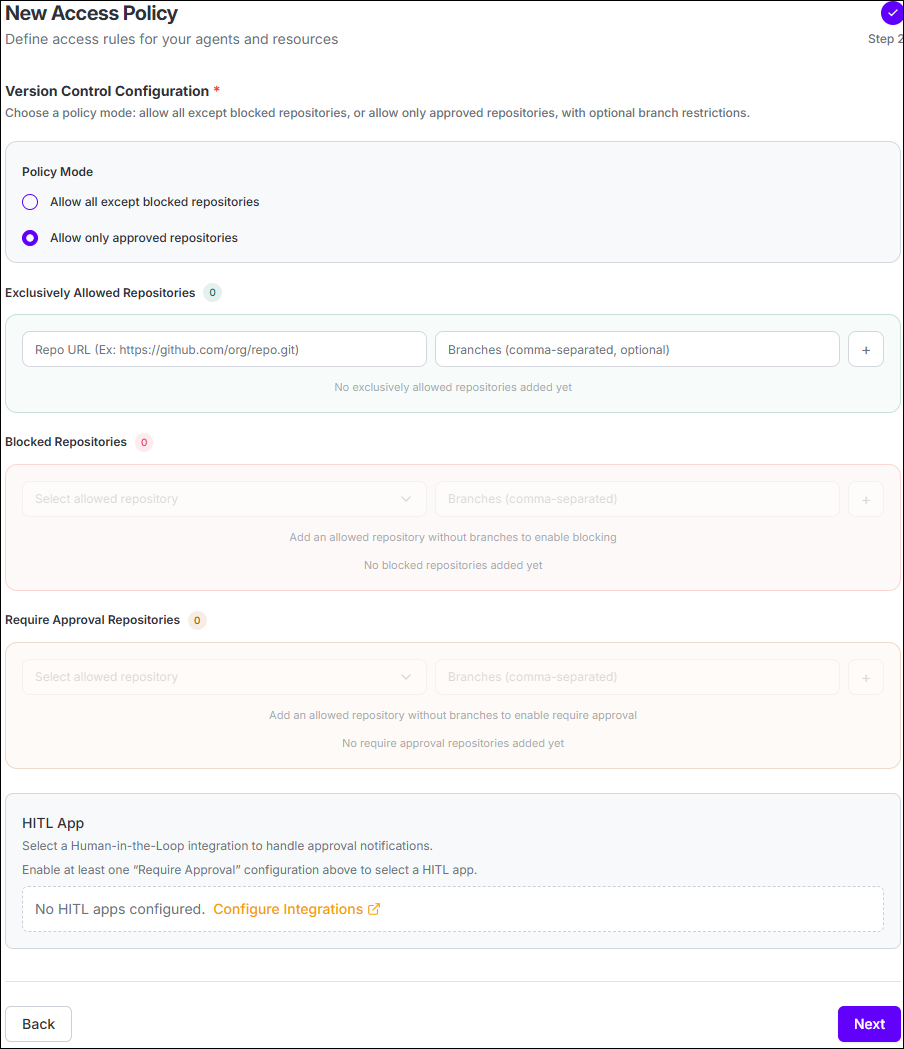
- Exclusively Allowed Repositories - define repositories that the agent may access.
- Blocked Repositories - deny specific repository or branch access within the allowed scope.
- Require Approval Repositories - require approval for selected repository or branch access.
