Viewing Workflows (Application Provisioning Catalog)
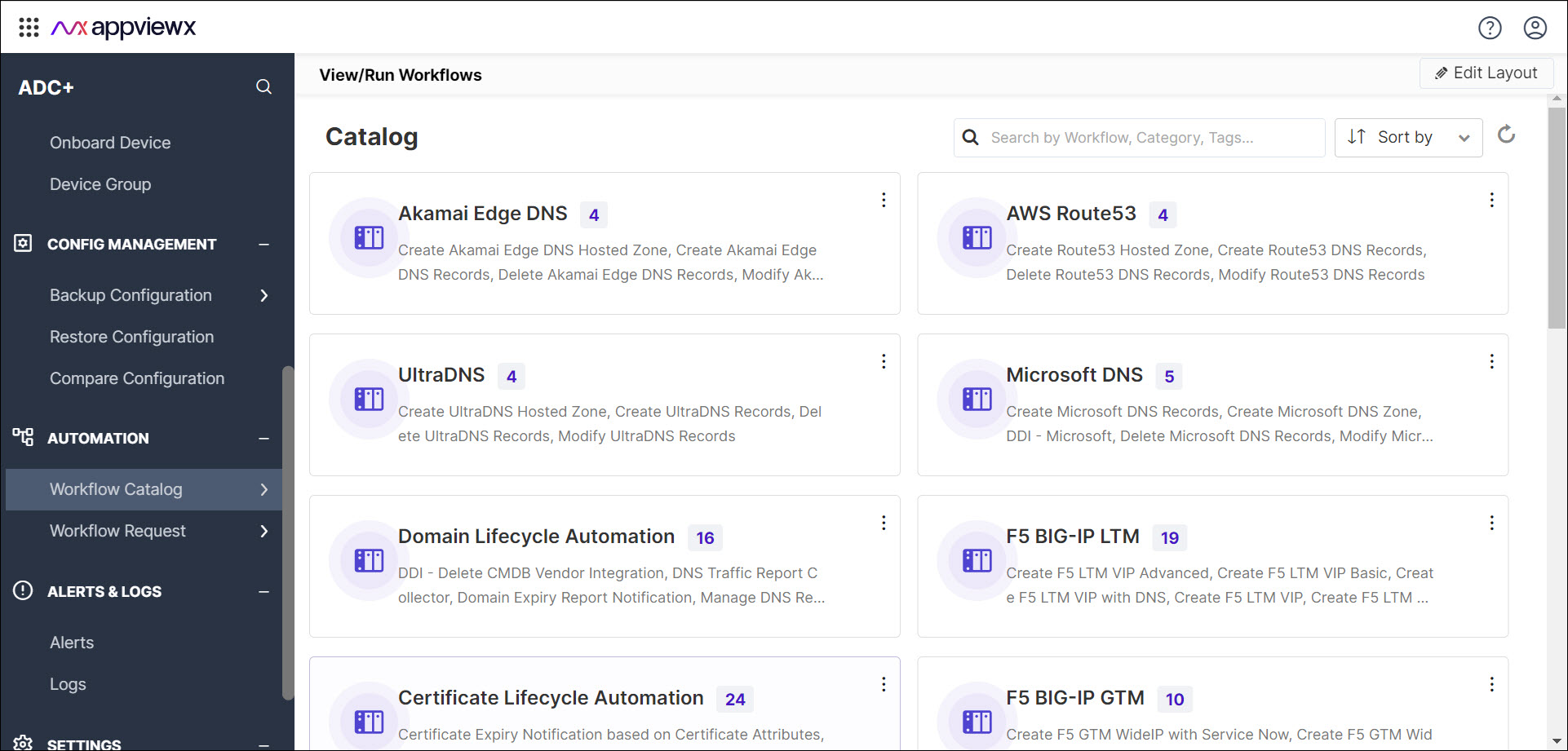
To view the workflows,
-
Go to Menu > ADC+ >
AUTOMATION > Workflow Catalog >
View/Run.
The workflows are displayed within their respective categories.
-
Select a workflow category of your choice.
A popup window opens, displaying the workflows organized within the selected category.Note: You can scroll down to see all the workflows within this category. Additionally, you can use the search function to locate specific workflows within this window.