
Viewing Certificate Requests
-
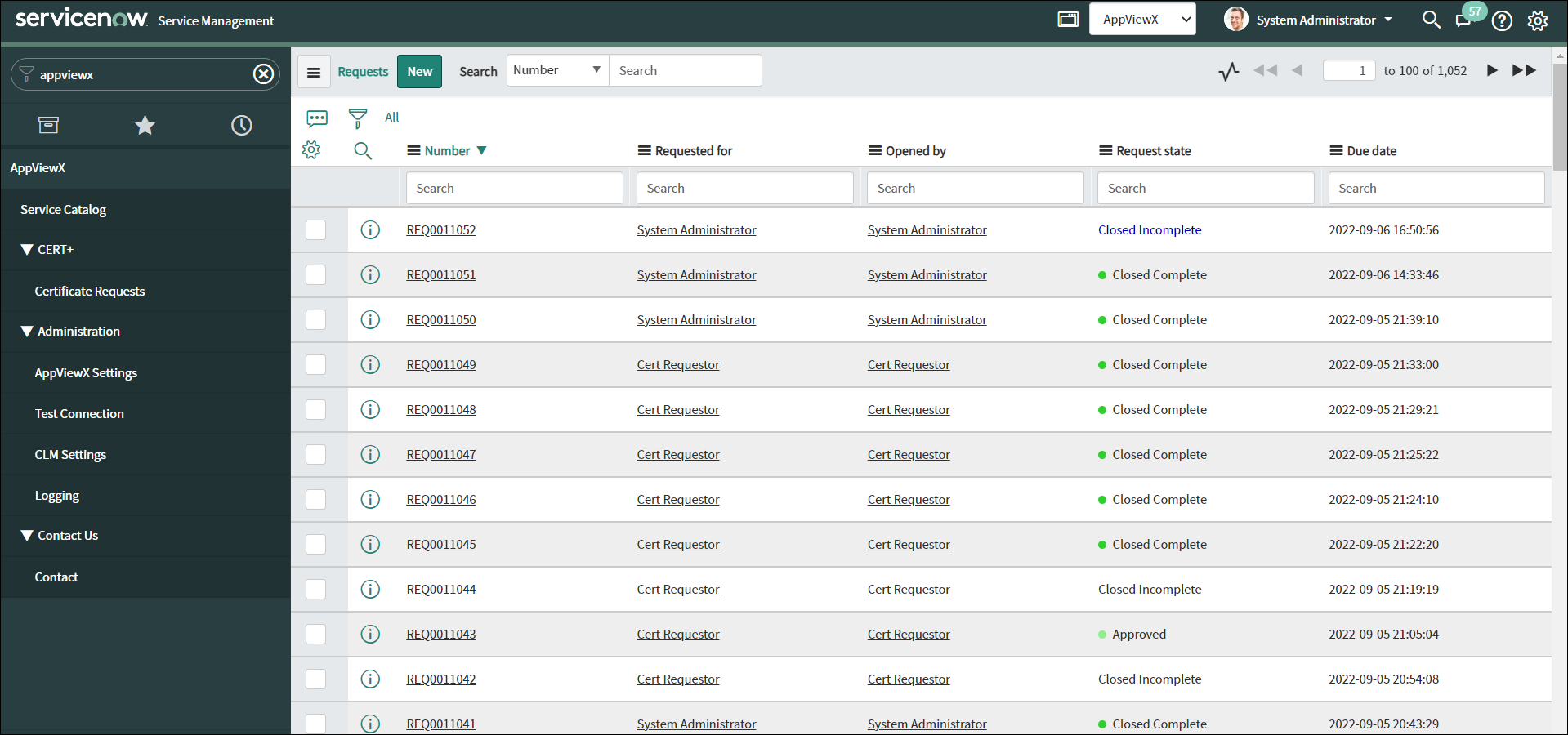
From the navigation pane on the left, under CERT+, click
Certificate Requests.
The Requests page is displayed with a list of certificate requests with their status.
-
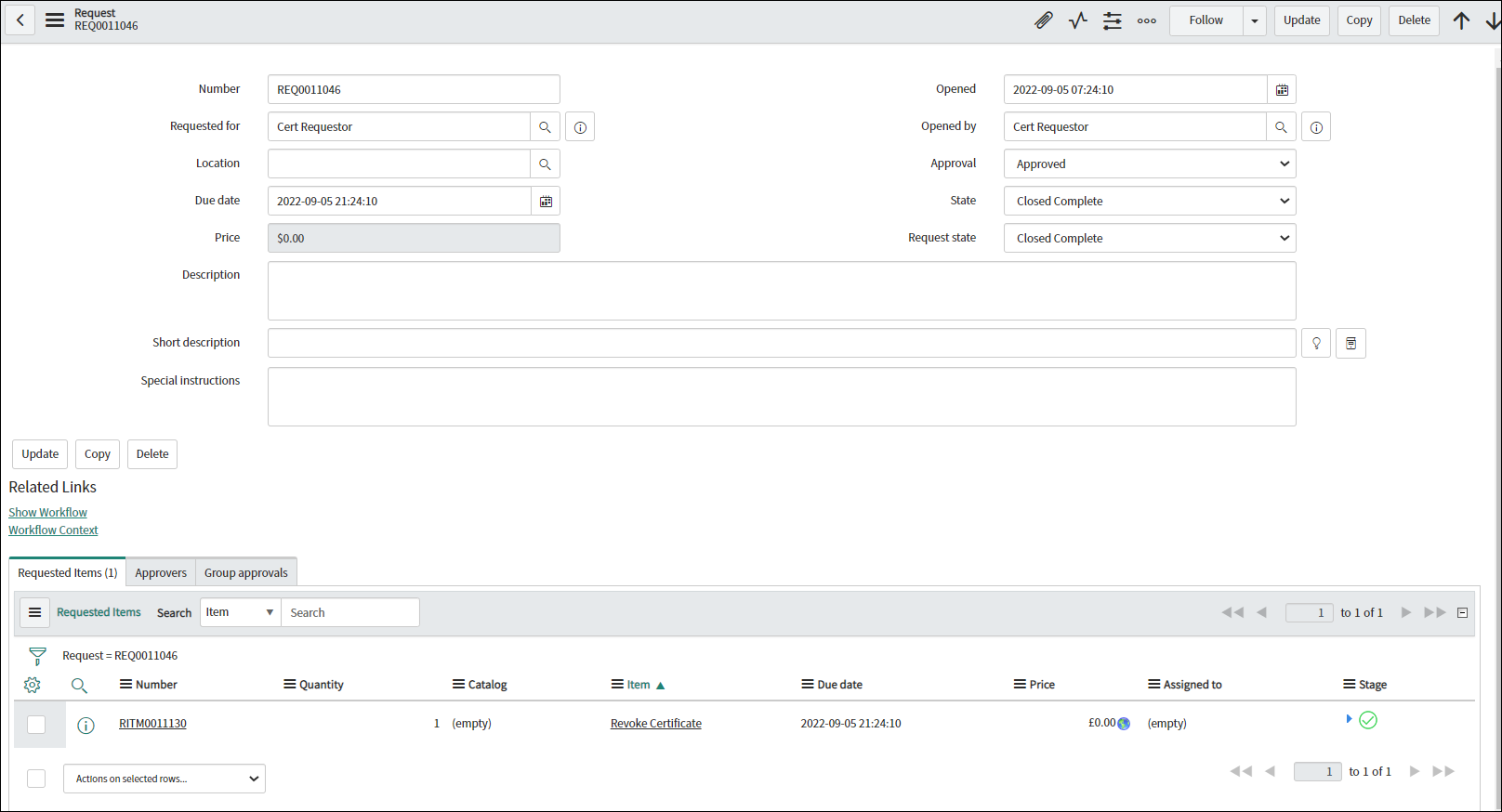
For detailed information about a particular request, click on the request
Number.
The Request page is displayed with detailed information such as the associated RITM number, type of request, and status.
-
Click the RITM number.
The Requested Item page is displayed with detailed information about the certificate request such as Request Details, Certificate Information, and AppViewX Response. You can use the Request ID to view the request log in AppViewX on the Workflow Request page.
