
Operating System
- Ubuntu versions 22.04 and 24.04.
- RHEL versions 8.6, 8.7, 8.8, 8.10, 9.2, 9.3, 9.4, and 9.6 (Refer the prerequisites for RHEL below).
- Amazon Linux 2.
- Rocky Linux 8.10 (Green Obsidian).
Note:
- If /var/lib is going to be a separate mount, ensure that it has
minimum 5 GB of free space.
In case of restrictions in meeting this requirement, it is recommended to change the data root directory from /var/lib to another dedicated directory. For instructions on changing the data root directory, click here.
-
For a RHEL8+ node, ensure that /run has minimum 3 GB of free space.
Prerequisites for RHEL OS
Before installing the Cloud Connector on RHEL OS, ensure to disable the following
network manager services:
- Network manager cloud service (nm-cloud-setup.service)
- Network manager cloud timer (nm-cloud-setup.timer)
The CC installer verifies this prerequisite by checking the services and displays an
error message if they are running, as shown below. 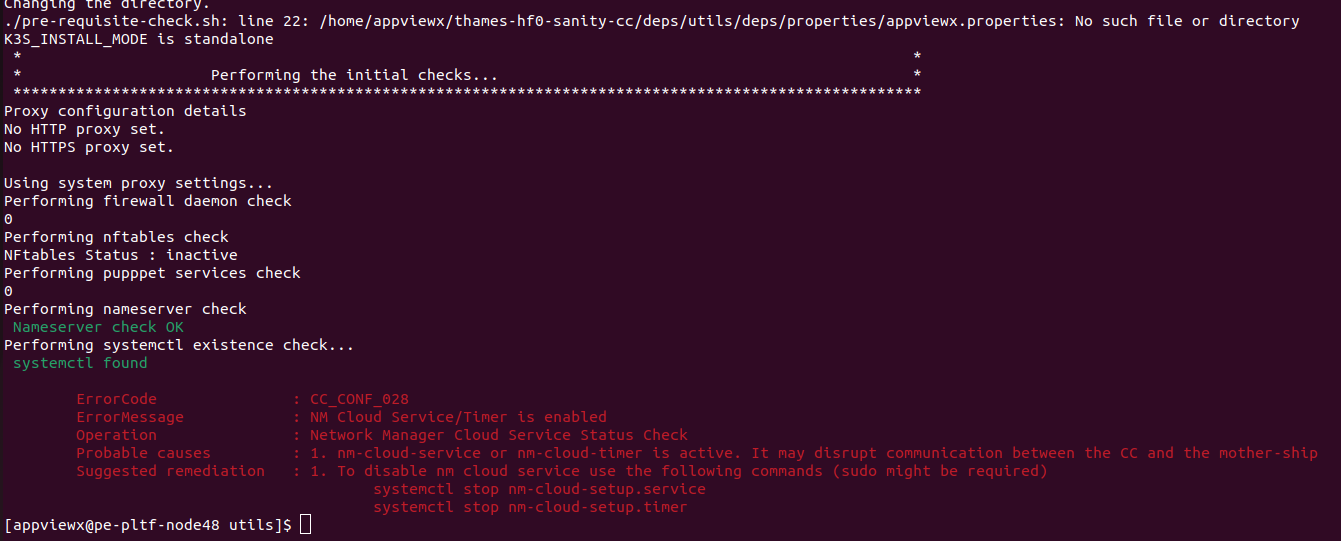
Hence, to perform a smooth installation manually verify if the services are running
in the given node by executing the following commands each for both services.
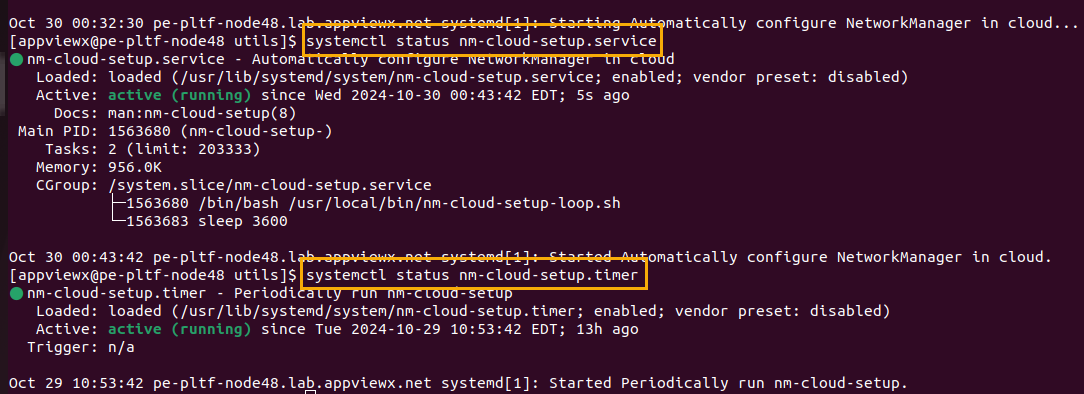
systemctl status nm-cloud-setup.servicesystemctl status nm-cloud-setup.timerTo disable both the services, execute the following command:
systemctl stop nm-cloud-setup.servicesystemctl stop nm-cloud-setup.timer