
Modify GTM Application Services
This workflow modifies GTM Wide-IP along with GTM pool and monitor association.
Prerequisites
To run this workflow:-
The AS3 service has to be enabled in the target F5 device.
-
F5 device list displays only AS3 service enabled and active devices.
- Go to Menu > ADC+ > AUTOMATION > Workflow Catalog > View/Run
- Click the F5 BIG-IP AS3 category on the View/Run Workflows page.
-
On the popup window, hover the mouse over the Modify GTM
Application Services workflow.
The Run and Schedule buttons are displayed.
-
Click
 .
The Request > Modify GTM Application Services :: FormBuilder page is displayed.
.
The Request > Modify GTM Application Services :: FormBuilder page is displayed. - In the General Properties section, select the Device Name to modify, and then choose the Partition and Application details of the device that are to be modified.
- Click Get Wide IP to get an existing Wide-IP and select the target Wide-IP.
- Fetch the associated pool by clicking Get Pool Name button, and then fetch the pool's details by clicking the Get Pool Details button to modify.
- Fetch the pool member's configuration by clicking the Get Pool Members button to modify.
-
Update the necessary details, and then click the Submit button.
The validation starts automatically stage.Note:
- If you want to save this form to edit it later, click Save Draft, and then click Ok in the Confirmation popup window. The form will be saved as Open request under Request > My Request.
- If you want to cancel this form, click Cancel.
-
The workflow is created and GTM Wide-IP along with GTM pool and monitor association are
updated.
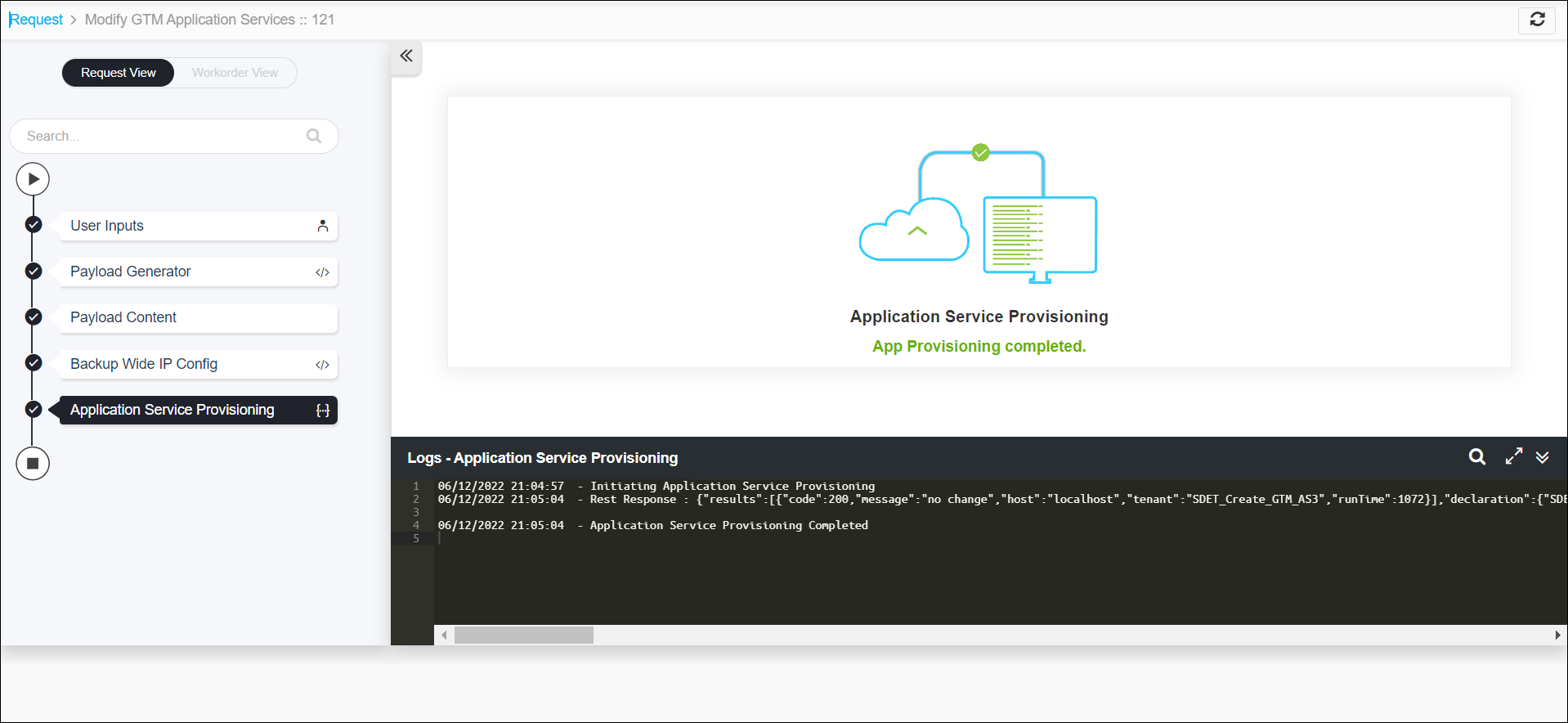 Note: The stages of the request are shown in the left side of the screen. To view a particular stage of the request, click the respective stage.
