
Configuring Object Naming Format
On the Naming Format tab, you can customize the display name format of your objects that needs to be followed throughout the application.
To customize the naming format,
- Click Menu > ADC+ > SETTINGS > Module Settings > ADC > Objects.
- Click the Naming Format tab.
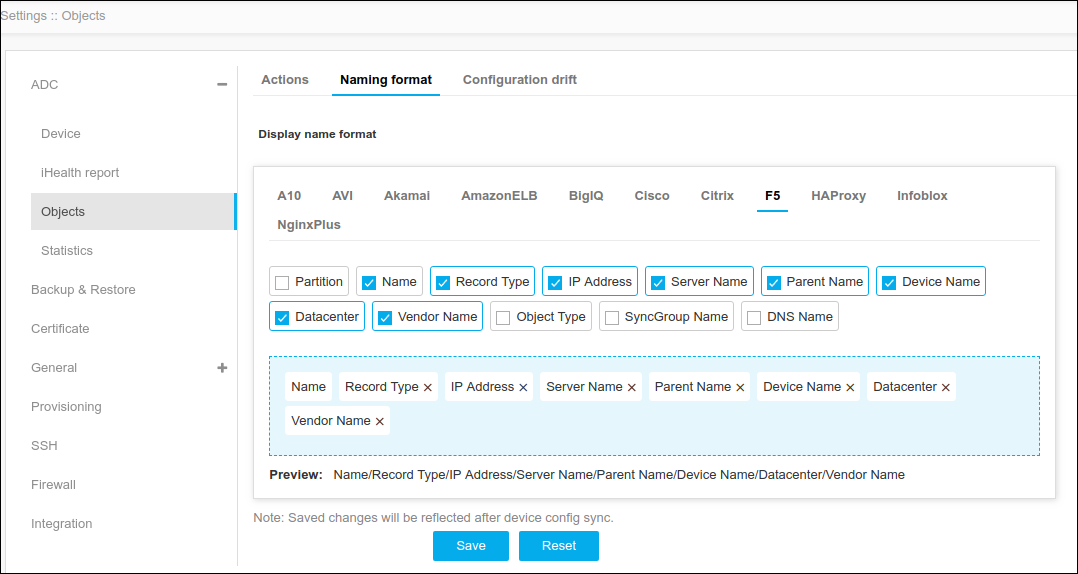
- On the Display Name Format page, choose the vendor to be modified and select the respective Property, reorder the fields as needed.
- Click Save.
Note: To discard the changes, click Reset.
