
Add Certificate Authority Connector to Certificate
To add a Certificate Authority (CA) connector to the discovered or uploaded server or client certificate:
-
Click the (
 ) Menu icon.
- Click CERT+.
The CERT+ left navigation pane appears.
- Select the type of certificate you want from the Certificate Inventory.
- Switch to the List toggle button on the top-right side of the page.
- On the Certificates list view, click the Common Name of a certificate you want to add a certificate authority connector to.
- On the Certificate topology page, click Create certificate authority.
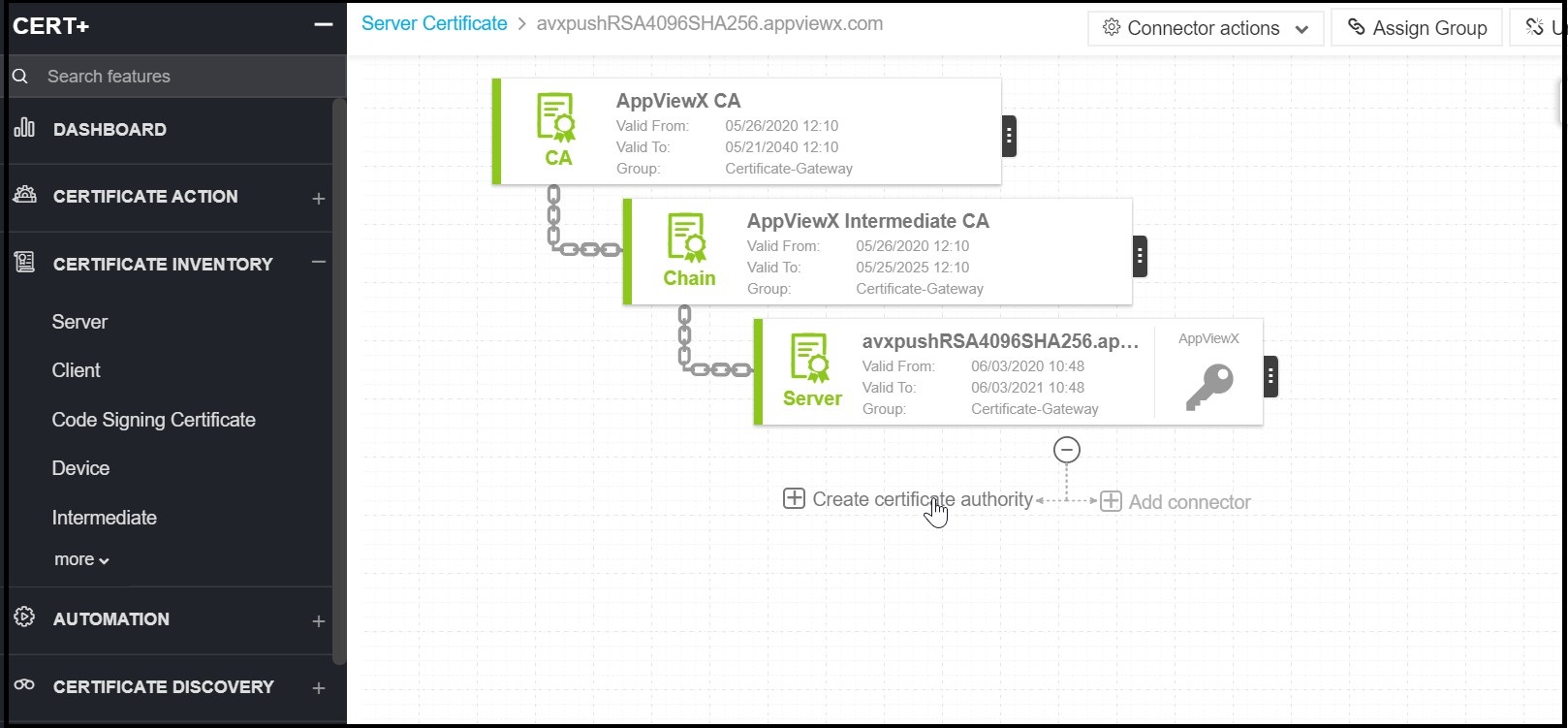
- On the details page, in the Assign Group field, select a group to assign the certificate.
- In the Certificate Authority field, select a CA from the dropdown list. Other fields on the page change depending on the selected certificate authority. For each type of certificate authority, fields marked with a red asterisk (*) are mandatory.
- Click Add.
